

विवरण
Event Registration lets you publish events, collect registrations with custom questions, manage attendees and waitlists, and record payments.
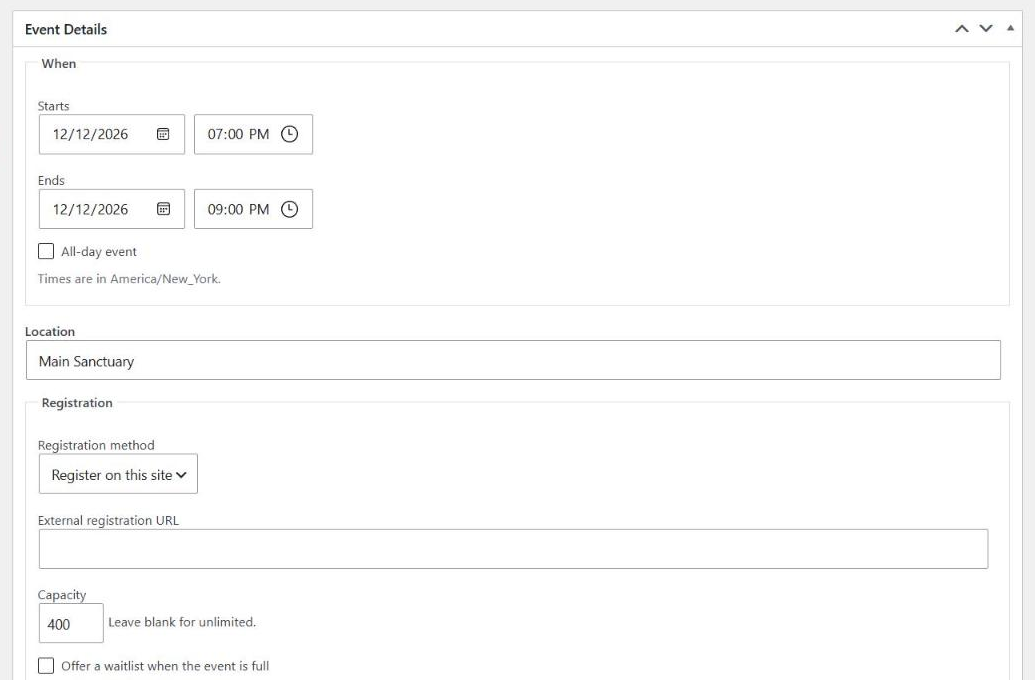
- Events with dates, venues, capacity, waitlists, and categories
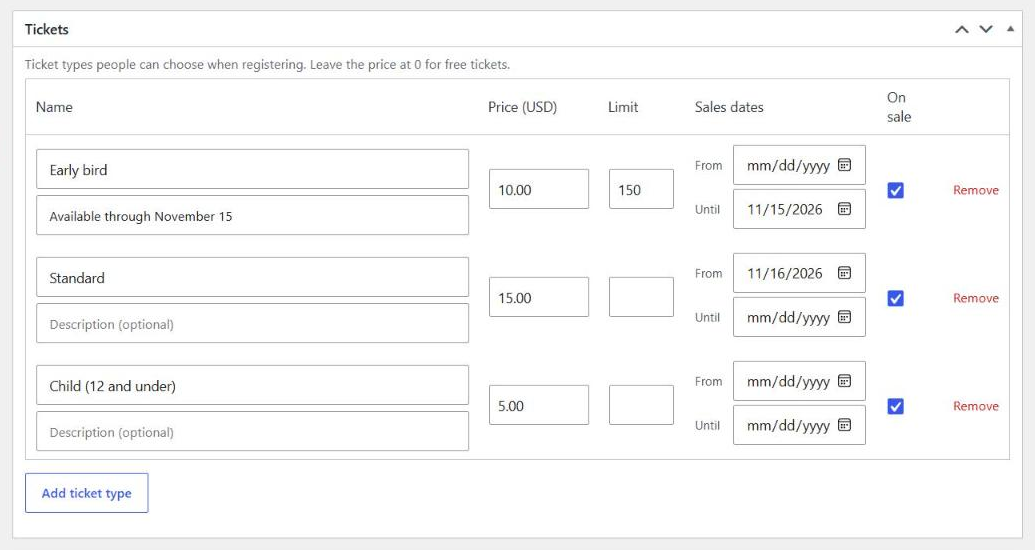
- Ticket types with prices, limits, and sales windows
- Custom registration questions
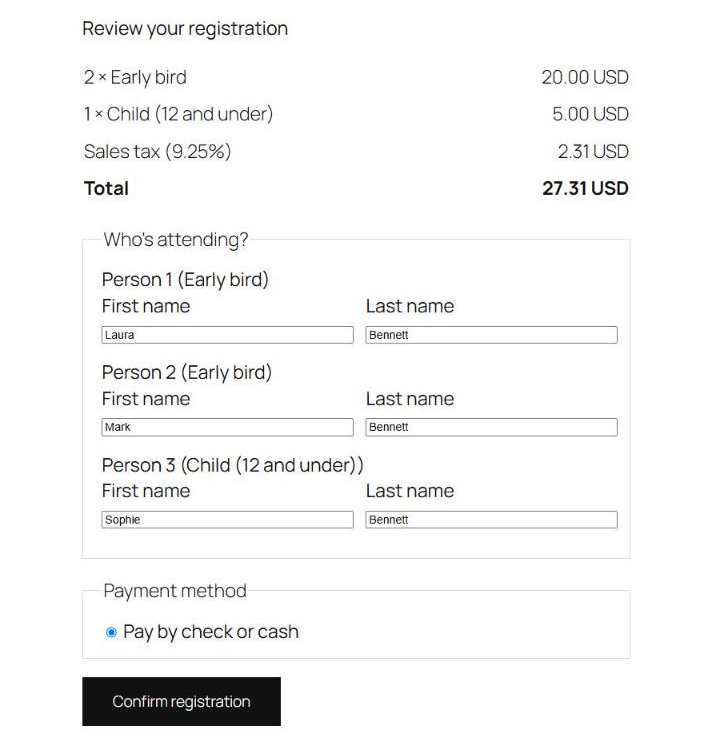
- A simple two-step registration form that works with any theme, with spam protection built in
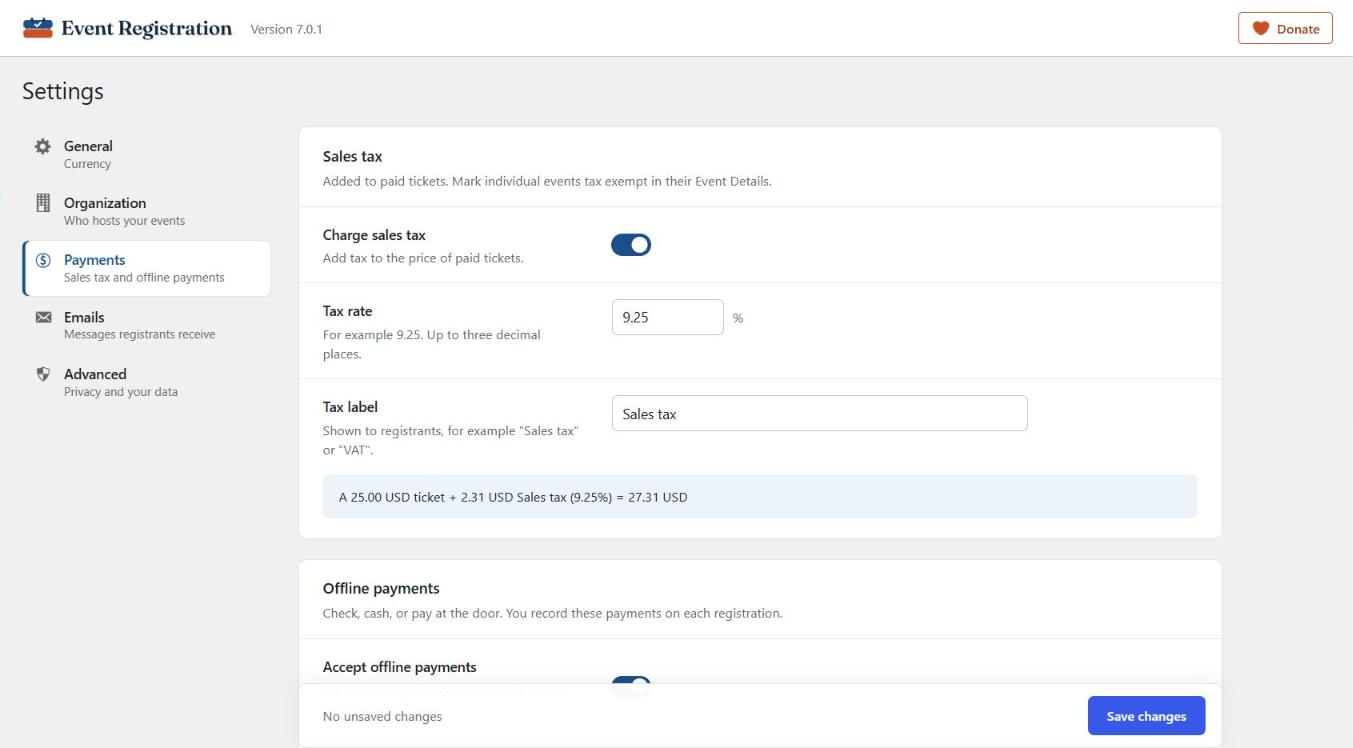
- Offline payments (check, cash, pay at the door), payment receipts, and balances
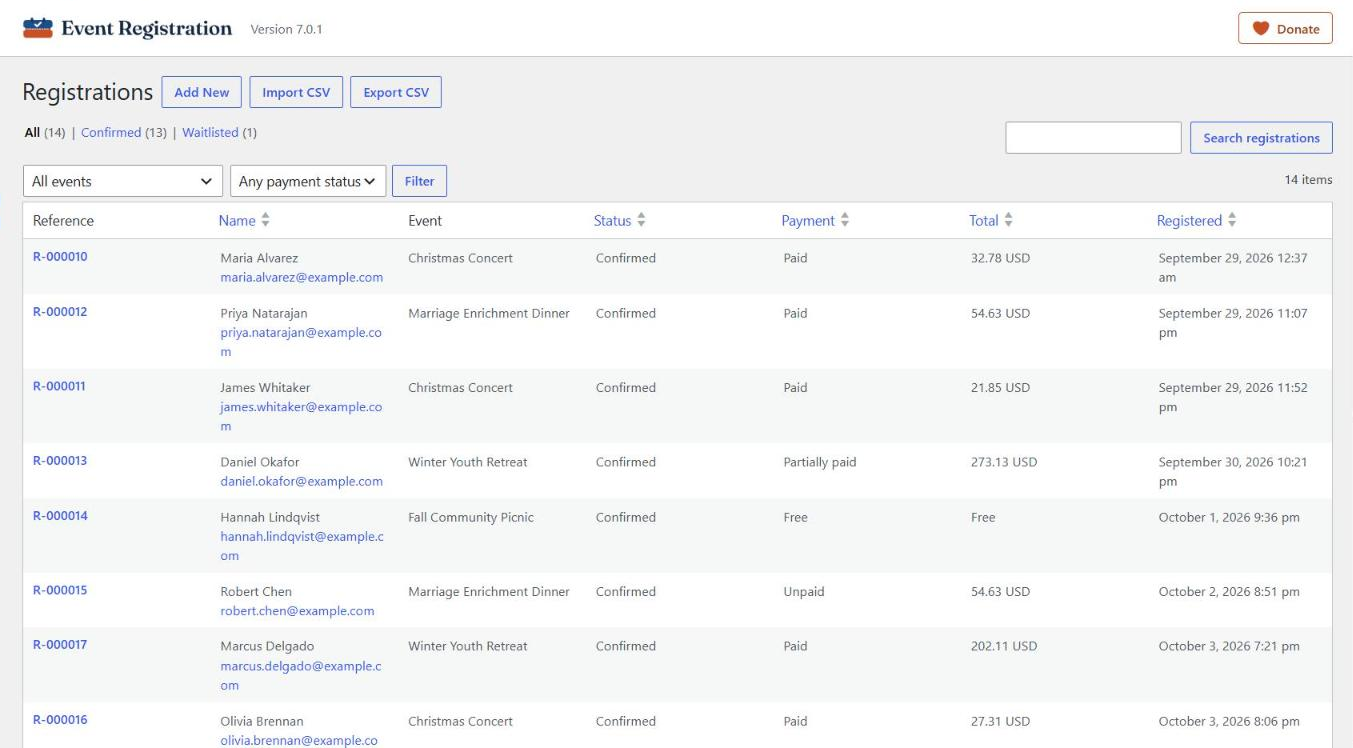
- Registrations screen with search, filters, CSV import and export
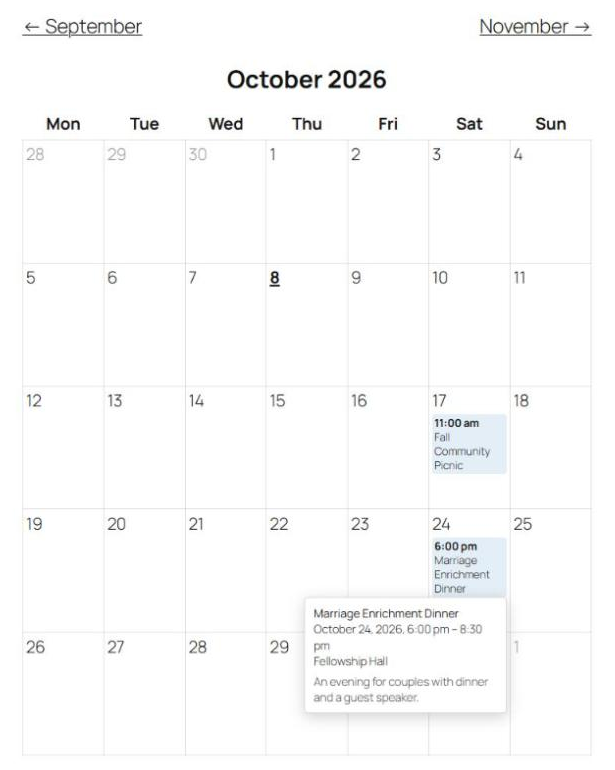
- Calendar, upcoming events list, and “add to calendar” files
- Blocks and shortcodes
- Works with WordPress’s privacy tools (export and erase personal data)
- One-time importer for Event Registration 6.x data
Version 7.0 is a complete rewrite. See the upgrade notice before updating from 6.x.
Privacy
Event Registration stores the information people enter when they register (names, contact details, answers, and payment records) in your site’s database. It does not send data to any external service. It integrates with WordPress’s Export and Erase Personal Data tools, and adds suggested text to your privacy policy guide.
External services
This plugin does not connect to any external services. It makes no remote requests and loads no files from other websites. Calendar (.ics) files are generated on your own site.
स्क्रीनशॉट्स
ब्लॉकस
यह प्लगइन 3 ब्लॉक प्रदान करता है।
- Events Calendar A month calendar of events.
- Upcoming Events A list of upcoming events.
- Event Registration Shows an event's details and its registration form.
इंस्टॉलेशन
- Install through Plugins Add New, or upload the
event-registrationfolder to/wp-content/plugins/. - Activate the plugin.
- Go to Event Registration Settings.
सामान्य प्रश्न
-
Does it take online payments?
-
The plugin includes offline payments (check, cash, pay at the door) with instructions and receipts. Online payments through PayPal (including debit and credit cards) are available as a separate paid add-on; see wpeventregister.com/add-ons.
-
How do I show events on a page?
-
Use the Event Registration, Events Calendar, or Upcoming Events blocks, or the shortcodes
[evreg_event id="123"],[evreg_calendar], and[evreg_events]. Each event also has its own page with a registration form. -
I used version 6.x. Is my data safe?
-
Yes. Version 7.0 never modifies or deletes your 6.x data. An importer copies it into the new format, and you decide if and when to remove the old data.
-
What happened to the Location and Coordinator modules?
-
They are not compatible with 7.0. After updating, administrators see a notice with a button to deactivate them. Nothing is deactivated until you choose to. Their features are now available as new paid add-ons (Locations and Coordinator), which bring your 6.x venues and coordinator settings across; see wpeventregister.com/add-ons.
-
Will my pages from 6.x still work?
-
Yes. The 6.x shortcodes and page tokens keep working after you import your data:
{EVRREGIS},{EVR_CALENDAR},{EVR_UPCOMING},[EVR_EVENTS],[EVR_SINGLE],[EVR_CATEGORY], and[EVR_CALENDAR]. Old event links are redirected to the new event pages.[EVR_PAYMENT]shows where to find payment details, and the public attendee list shortcodes ([EVR_ATTENDEE],[EVR_CUSTOM_ATTENDEE]) are no longer available.
समीक्षाएं


सहायक &डेवलपर्स

Translate “Event Registration” into your language.
Interested in development?
Browse the code, check out the SVN repository, or subscribe to the development log by RSS.
बदलाव विवरण
7.0.1
- Ticket types now have optional sales dates (From and Until) in the event editor.
- Fixed: saving an event no longer clears ticket sales dates imported from 6.x.
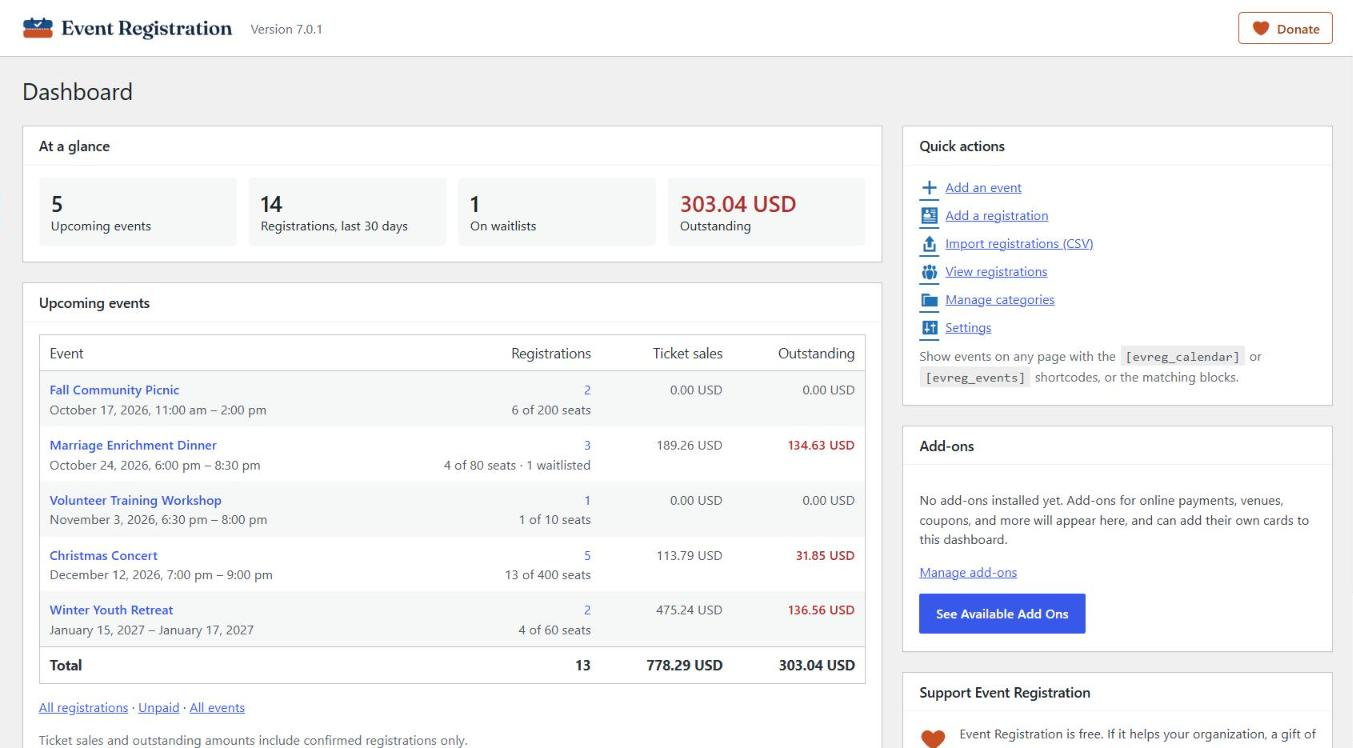
- A Donate link on the Plugins screen and a small support card on the plugin dashboard.
- Calendar event names no longer break in the middle of a word.
- Settings screen uses the plugin’s brand colors.
- The plugin header (logo, version, and a Donate link) now appears on every Event Registration screen.
- Add-on license keys are entered on a new Licenses tab under Settings, shown when an add-on that needs a license is installed.
- A “See Available Add Ons” button on the plugin dashboard and the Add-ons screen links to wpeventregister.com/add-ons.
- Offline payments: when no payment instructions are set, registrants who owe money now see a standard “How to pay” message on the confirmation page and in the confirmation email.
7.0.0
- Complete rewrite with a new, secure architecture. Requires PHP 8.2 and WordPress 6.9 or later.
- Events with ticket types, custom questions, capacity, waitlists, and categories.
- Registration form with spam protection, attendee names, and a review step; registrants can edit their registration.
- Offline payments, payment receipts, and optional sales tax.
- Registrations screen with search, filters, payments, and CSV import and export.
- Calendar, upcoming events list, blocks, and “add to calendar” files.
- Organization settings, privacy tools (export and erase personal data), and optional data retention.
- One-time importer for 6.x data; 6.x shortcodes and page tokens keep working.