
विवरण
A complete security plugin that’s actually free. No “pro” version, no nag screens, no made-up threat statistics.
Login Protection
- Blocks IPs after failed login attempts
- Custom login URL (hides wp-login.php)
- Hides wp-admin from logged-out users
- Honeypot field for bots
- Hides login errors (stops username enumeration)
- Email alerts for admin logins from new IPs
- Country/IP restrictions on login page
IP Control
- Whitelist and blacklist
- Auto-blacklist after repeated lockouts
- IPv4, IPv6, CIDR supported
Geo Blocking
- Block countries
- Uses free IP2Location LITE database
- One-click download
Hardening
- Disable XML-RPC
- Disable dashboard file editing
- Disable application passwords
- Restrict REST API to logged-in users
- Remove WordPress version
- Block user enumeration (?author=1 and REST API)
- Disable pingbacks/trackbacks
Security Headers
X-Content-Type-Options, X-Frame-Options, X-XSS-Protection, Referrer-Policy, Permissions-Policy, Content-Security-Policy, HSTS
Two-Factor Authentication
- TOTP (Google Authenticator, Authy, etc.)
- Backup codes
- Enforce for admins
File Integrity Monitoring
- Checks WordPress core files against official checksums
- Daily scans
- Email alerts on changes
Malware Scanner
- Scans plugins, themes, uploads
- Pattern-based detection
- Quarantine suspicious files
- Weekly scans
Activity Log
- Login attempts, lockouts, blocks
- IP, country, username, timestamp
- Configurable retention
- CSV export
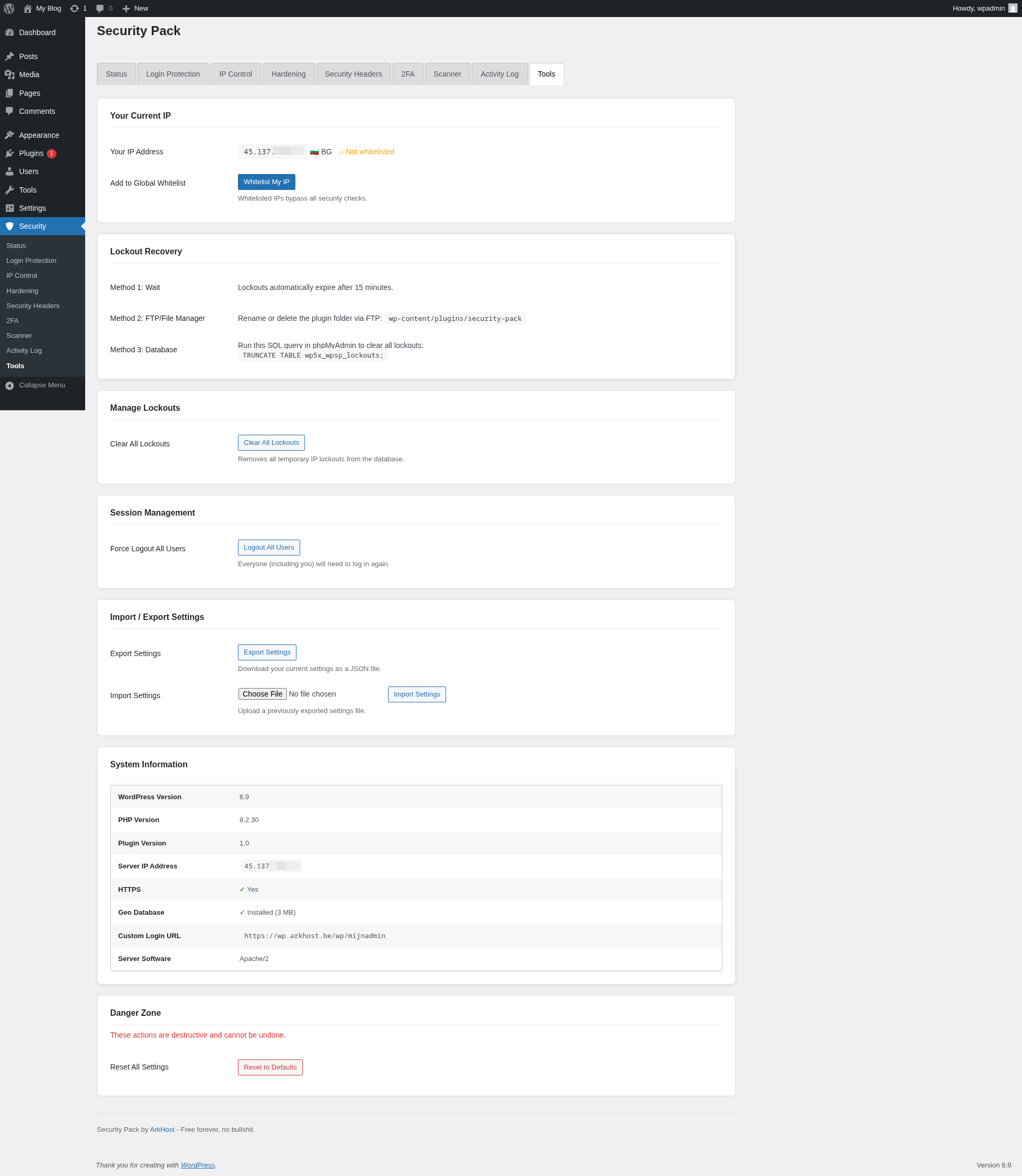
Tools
- Export/import settings
- Force logout all users
- Test email
- Delete readme.html/license.txt
Privacy
No tracking. No analytics. No telemetry.
External connections:
* WordPress.org API (core file checksums)
* IP2Location (database download, only when you click it)
External services
This plugin connects to the following external services under specific circumstances:
WordPress.org Checksums API
- Service: api.wordpress.org/core/checksums/1.0/
- Used for: Verifying WordPress core file integrity by comparing local files against official checksums
- Data sent: WordPress version and locale
- When: During daily scheduled file integrity scans and when manually triggered by the admin
- Privacy policy: https://wordpress.org/about/privacy/
IP Detection Services
- Services: api.ipify.org, ifconfig.me, icanhazip.com
- Used for: Detecting the server’s public IP address for the “Whitelist My IP” tool
- Data sent: Standard HTTP request (no personal data)
- When: Only when an admin uses the “Whitelist My IP” feature in the Tools tab
- Terms: https://www.ipify.org/ / https://ifconfig.me/ / https://icanhazip.com/
IP2Location
- Service: download.ip2location.com
- Used for: Downloading the free IP2Location LITE geolocation database for country-based blocking
- Data sent: Standard HTTP request (optional: user’s download token if configured)
- When: Only when an admin clicks “Download IP2Location Database” in the IP Control tab
- Terms of service: https://www.ip2location.com/terms
- Privacy policy: https://www.ip2location.com/privacy
स्क्रीनशॉट्स

Security status overview 
Login protection settings 
Activity log 
Two-factor authentication setup 
Malware scanner with quarantine 


इंस्टॉलेशन
- Upload the plugin files to
/wp-content/plugins/arkhost-security-pack/ - Activate the plugin through the ‘Plugins’ screen
- Configure under the Security menu
सामान्य प्रश्न
-
No. This is the complete plugin.
-
Will it slow my site?
-
No. Checks run on login and admin access, not frontend page loads.
-
I locked myself out
-
Connect via FTP/SSH and rename the plugin folder. Log in normally. Fix your settings.
-
Does geo-blocking work without the database?
-
No. Download the free IP2Location LITE database from the plugin settings.
-
Can I use this with other security plugins?
-
Possible but likely to cause conflicts. We recommend using one security plugin at a time.
समीक्षाएं
इस प्लगइन के लिए कोई समीक्षा नहीं है।
सहायक &डेवलपर्स

Translate “ArkHost Security Pack” into your language.
Interested in development?
Browse the code, check out the SVN repository, or subscribe to the development log by RSS.
बदलाव विवरण
1.1
- Fixed: Custom login URL form submission redirecting to 404 page
- Fixed: URL rewrite filters not being registered before login page render
1.0
- Initial release