
विवरण
ConveyThis Translate is the most accurate, fastest and easiest language plugin to translate your WordPress website into over 120 languages!
ConveyThis Translate को इंस्टॉल करने में बस कुछ सरल चरण होते हैं और 2 मिनट से अधिक नहीं लगते हैं।
इस प्लगइन के साथ अपनी वेबसाइट का अनुवाद करने के लिए आपको वेब डेवलपमेंट में कोई पृष्ठभूमि या .PO फ़ाइलों से निपटने की आवश्यकता नहीं है। ConveyThis अनुवाद स्वचालित रूप से आपकी वेबसाइट की सामग्री का पता लगाता है और तत्काल और सटीक मशीन अनुवाद प्रदान करता है। बहुभाषी वेबसाइटों के संदर्भ में Google की सर्वोत्तम प्रथाओं के अनुसार सभी अनुवादित पृष्ठों का अनुकूलन करते हुए। इसके अलावा, आप एक सरल इंटरफ़ेस के माध्यम से सभी प्रदर्शन किए गए अनुवादों को देखने और संपादित करने में सक्षम होंगे या आपके लिए ऐसा करने के लिए एक पेशेवर अनुवादक को नियुक्त कर सकते हैं। परिणामस्वरूप आपको पूरी तरह से एसईओ अनुकूलित बहुभाषी वेबसाइट मिलेगी।
सुविधाएं:
• fast and accurate automatic machine translation
• 100+ languages of the most popular world languages
• no redirections to third-party sites as with Google translate
• translate attributes, alt text, meta text, page URLs
• no credit card required for registration and money back guarantee for all paid plans
• easy to use (just a few simple steps from registration to translation)
• no need to deal with .PO files and no coding required
• 100% compatibility with all themes and plugins (including WooCommerce)
• SEO-optimized (all translated pages will be indexed by Google, Bing, Yahoo, etc.)
• one simple interface to manage all your translated content
• professional translators from a translation agency with over 15 years of experience
• customizable design and position of language switcher button
• compatible with SEO plugins: Rank Math, Yoast, SEOPress
क्या ConveyThis अनुवाद मुफ्त है?
ConveyThis Translate provides Free plan with 2,500 words and 1 language.
More features are available on our advanced plans.
हमारी प्रत्येक योजना की अपनी विशेषताएं और लाभ हैं। हालाँकि, आपकी बहुभाषी यात्रा शुरू करने और मुफ्त स्वचालित मशीन अनुवाद, एसईओ अनुकूलन, यूआरएल अनुवाद, एनालिटिक्स डैशबोर्ड, अनुवाद और संपादन इंटरफ़ेस जैसे कई लाभों का लाभ उठाने के लिए भी मुफ्त योजना काफी अच्छी है। सरल द्विभाषी साइटों के लिए सबसे सरल योजना पर्याप्त होगी। जैसे ही आप अधिक आगंतुक प्राप्त करते हैं यह एक बड़ी योजना प्राप्त करने के लिए एक संकेत है। लेकिन इस क्षण तक प्लगइन बिना किसी लाभ को काटे आपको हासिल करने में मदद करेगा।
एसईओ अनुकूलन इतना महत्वपूर्ण क्यों है?
आपकी बहुभाषी सामग्री को सभी खोज इंजनों द्वारा ठीक से अनुक्रमित किया जाएगा ताकि आपको अतिरिक्त (50% तक) SEO बूस्ट मिले।
अधिकांश पारंपरिक प्लग-इन आपको अपनी वेबसाइट को मुफ्त में अनुवाद करने की सुविधा देते हैं और आपको पेज के URL, छवियों के लिए ऑल्ट टैग्स, hreflang विशेषताएँ, आदि जोड़ने के लिए अपने प्रीमियम ऐडऑन खरीदने के लिए कहते हैं। ConveyThis Translate बॉक्स से बाहर काम करता है और आपको सभी देता है। शुरुआत से ही बहुभाषी साइट के लाभ।
क्या ConveyThis अनुवाद समर्थन प्रदान करता है?
ConveyThis Translate सभी को तुरंत सहायता प्रदान करता है।
आप अपने प्रश्नों को ConveyThis.com वेबसाइट पर ऑनलाइन चैट के माध्यम से पूछ सकते हैं या हमें support@conveythis.com पर सीधे ईमेल कर सकते हैं
हमारे काम के घंटे पूर्वी मानक समय (ईएसटी) या (जीएमटी -4) हैं।
लेकिन हम हर किसी को सप्ताह के दिनों में 10 घंटे से अधिक नहीं जवाब देते हैं।
Does ConveyThis load content remotely?
ConveyThis securely loads JavaScripts and images from CDN
ConveyThis privacy policy
Please find our privacy policy here
अनुदेश
- ConveyThis डाउनलोड करें यहाँ अनुवाद करें या अपने WP प्लगइन्स पैनल से इसे स्थापित करें
- Sign up at https://app.conveythis.com/account/register/ to set up your account
- After confirming your account go to the “Dashboard” in your account
- अपनी अनूठी API कुंजी की प्रतिलिपि बनाएँ (यह “pub_xxxxxxxxxx” के समान दिखता है)
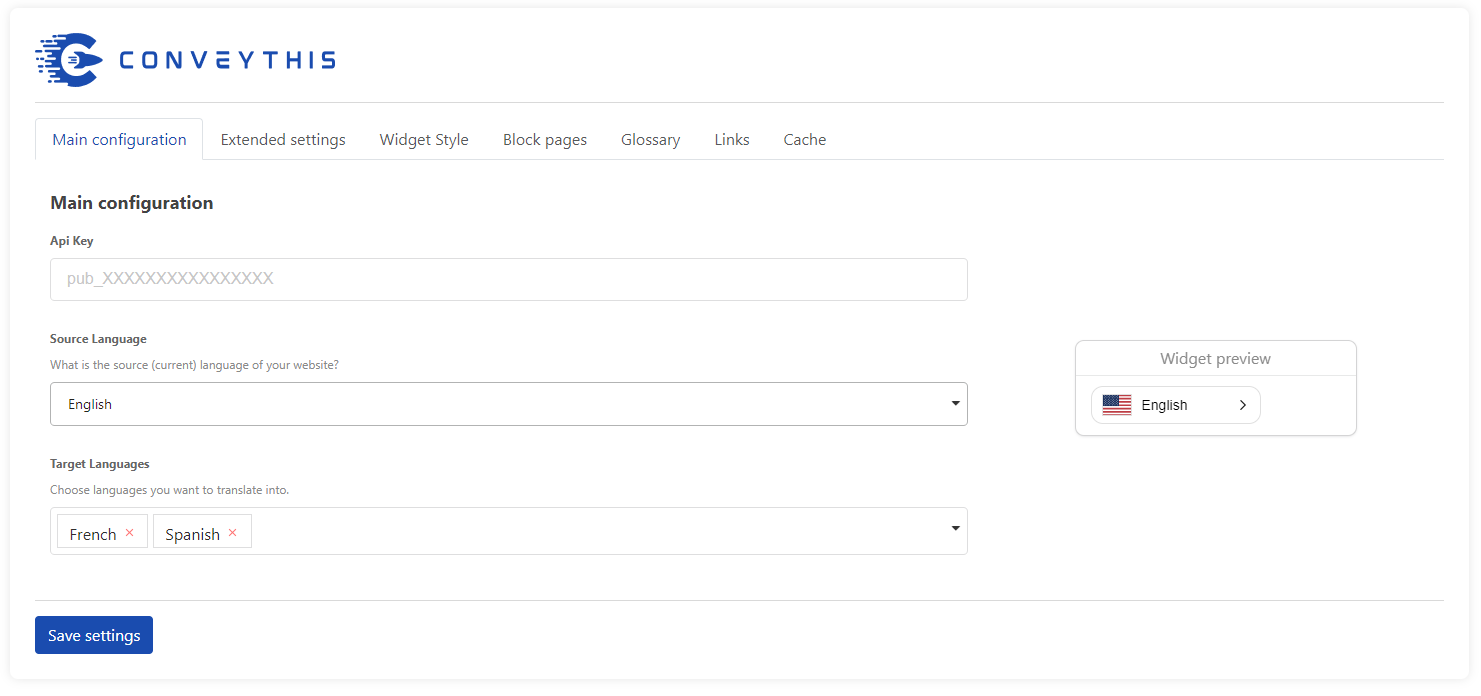
- अपने WP व्यवस्थापक पर प्लगइन के कॉन्फ़िगरेशन पृष्ठ पर जाएं
- इस API कुंजी को उपयुक्त अनुभाग में पेस्ट करें
- स्रोत भाषा और लक्ष्य भाषा चुनें
- भाषा स्विचर अनुकूलित करें जैसा आप चाहते हैं (आपके पास सुविधाजनक “पूर्वावलोकन” मोड है)
- बदलाव सहेजें
- The language button is appeared on your website.
- अब आप इसे क्लिक कर सकते हैं और अपने पहले पृष्ठ का अनुवाद कर सकते हैं
- If you want to edit your translations go to “My Translation” in your account
* यदि आप बाद में सभी अनुकूलन करना चाहते हैं, तो बस अपनी एपीआई कुंजी पेस्ट करें, परिवर्तन सहेजें और तुरंत आपकी वेबसाइट पर बटन दिखाई देगा। आप अपने पहले पेज का अनुवाद कर सकते हैं।
ConveyThis अनुवाद प्लगइन इन सभी भाषाओं का समर्थन करता है:
अज़रबैजान, अल्बानियाई, अम्हारिक्, अंग्रेजी, अरबी, अर्मेनियाई, अफ्रीकी, बास्क, बशीर, बेलारूसी, बंगाली, बर्मी, बल्गेरियाई, बोस्नियाई, वेल्श, हंगेरियन, वियतनामी, हाईटियन (क्रियोल), गैलिशियन्, डच, हिल मारी, ग्रीक, जॉर्जियाई गुजराती, डेनिश, हिब्रू, येदिश, इंडोनेशियाई, आयरिश, इतालवी, आइसलैंडिक, स्पेनिश, कजाख, कन्नड़, कैटलन, किर्गिज, चीनी, कोरियाई, थाहोसा, खमेर, लाओटियन, लैटिन, लाटविया, लिथुआनियाई, लक्समबर्ग, मालागासी, मलय, मलयालम, मलयालम माल्टीज़, मासेदोनियन, माओरी, मराठी, मारी, मंगोलियाई, जर्मन, नेपाली, नॉर्वेजियन, पंजाबी, खेल, फ़ारसी, पोलिश, पुर्तगाली, रोमानियाई, रूसी, सेबुआनो, सर्बियाई, सिंहल, स्लोवाकिया, स्लोवेनियाई, स्वाहिली, सुंडानी, ताजिक, थाई, थाई तागालोग, तमिल, तातार, तेलुगु, तुर्की, उडमर्ट, उज़्बेक, उक्रेन, उर्दू, फिनिश, फ्रेंच, हिंदी, क्रोएशियाई, चेक, स्वीडिश, स्कॉटिश, एस्टोनियाई, एस्पेरांतो, जावानीस, जापानी।
उपयोगी लिंक्स
अन्य भाषाओं में अनुवाद।
ConveyThis Translate का अनुवाद अभी तक स्पेनिश और रूसी भाषाओं में किया जाता है। इसे अन्य भाषाओं में अनुवाद करने में मदद करें। Translate.wordpress.org पर आगे बढ़ें
स्क्रीनशॉट्स
भाषा स्विचर वर्तमान वेबसाइट को बहुभाषी एक में कैसे बदल देगा, इसका अवलोकन। 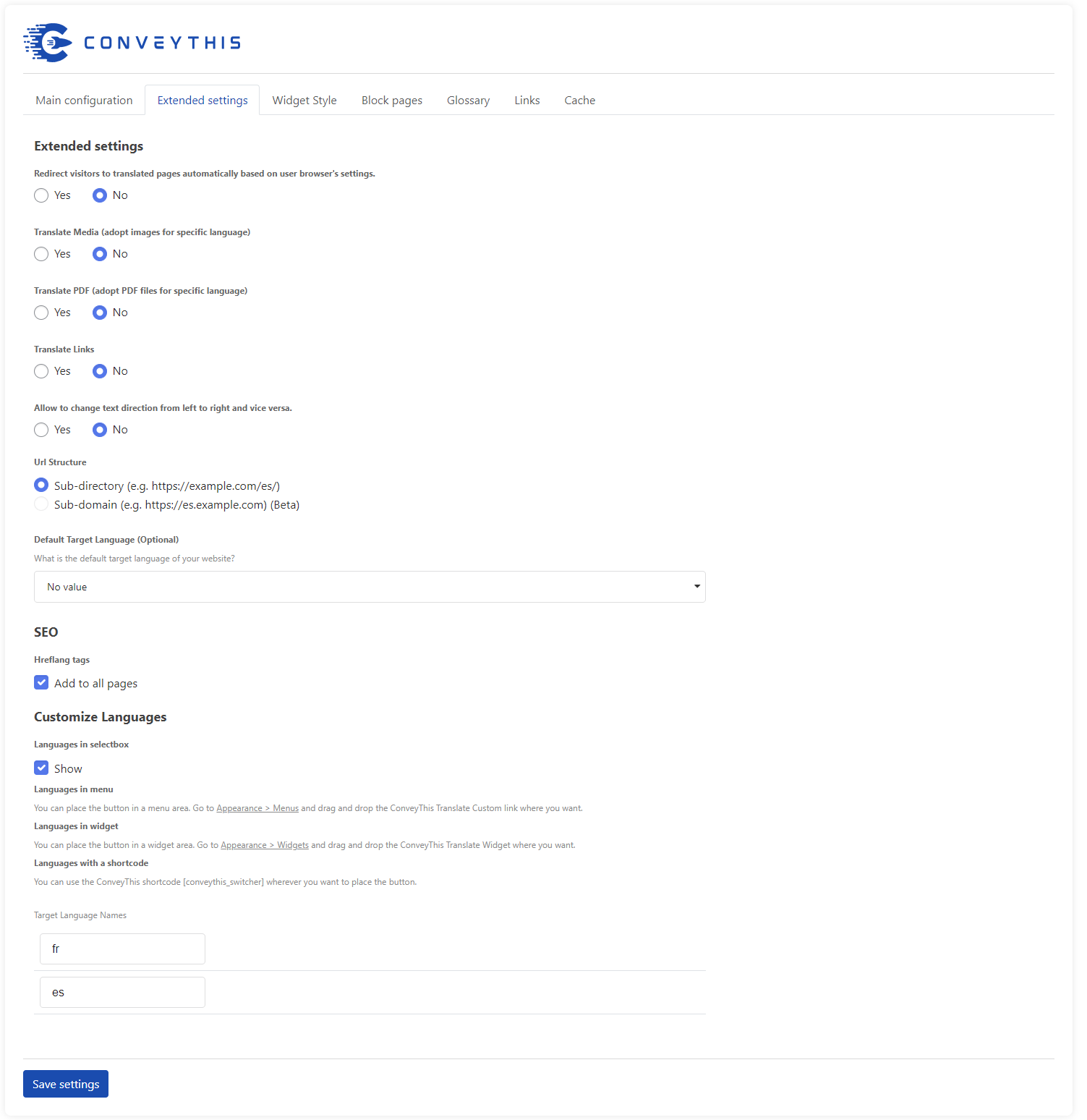
प्लगइन का सरल विन्यास पृष्ठ। 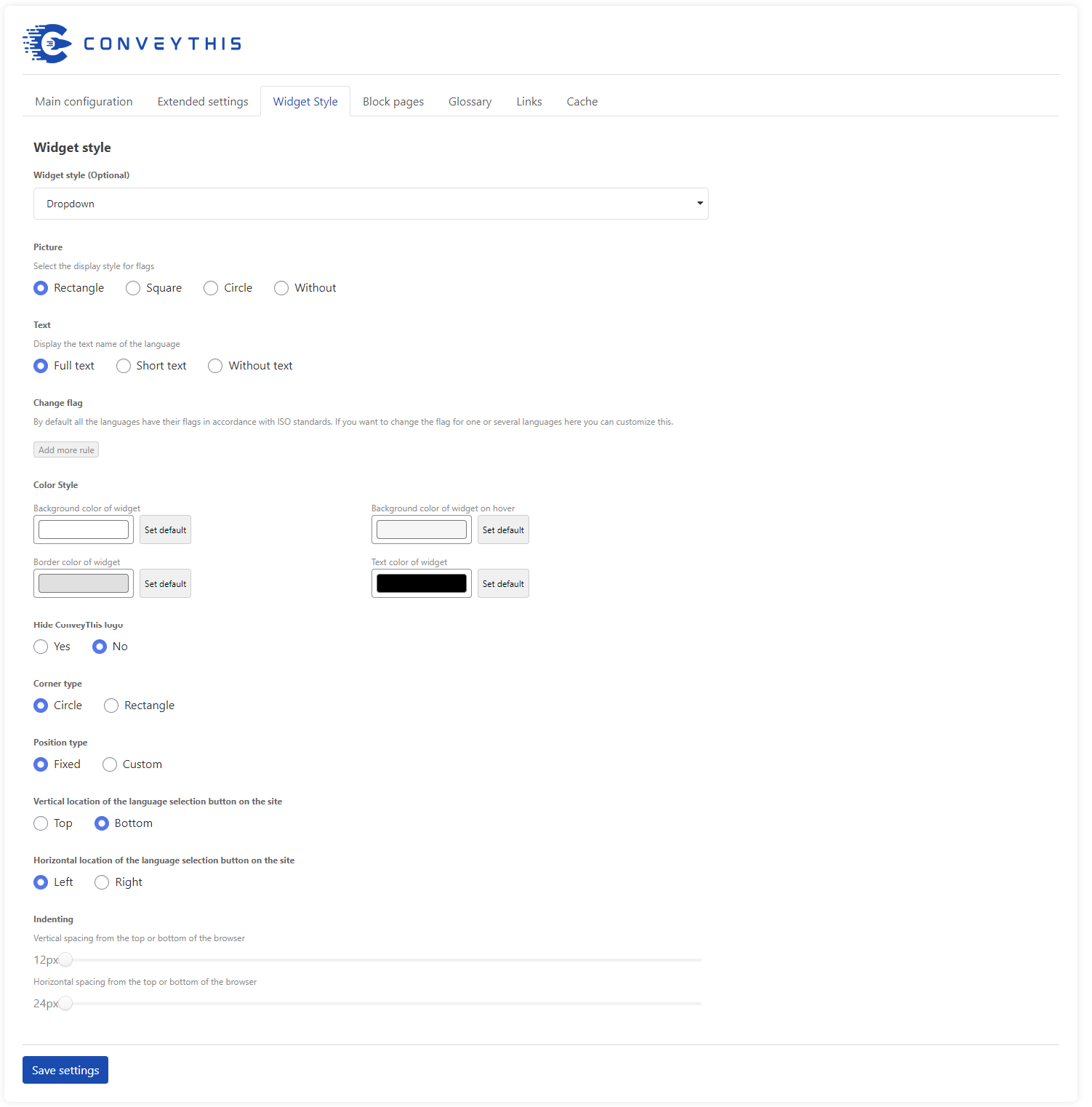
बटन अनुकूलन और त्वरित पूर्वावलोकन। 
भाषा-ध्वज जोड़ी अनुकूलन। 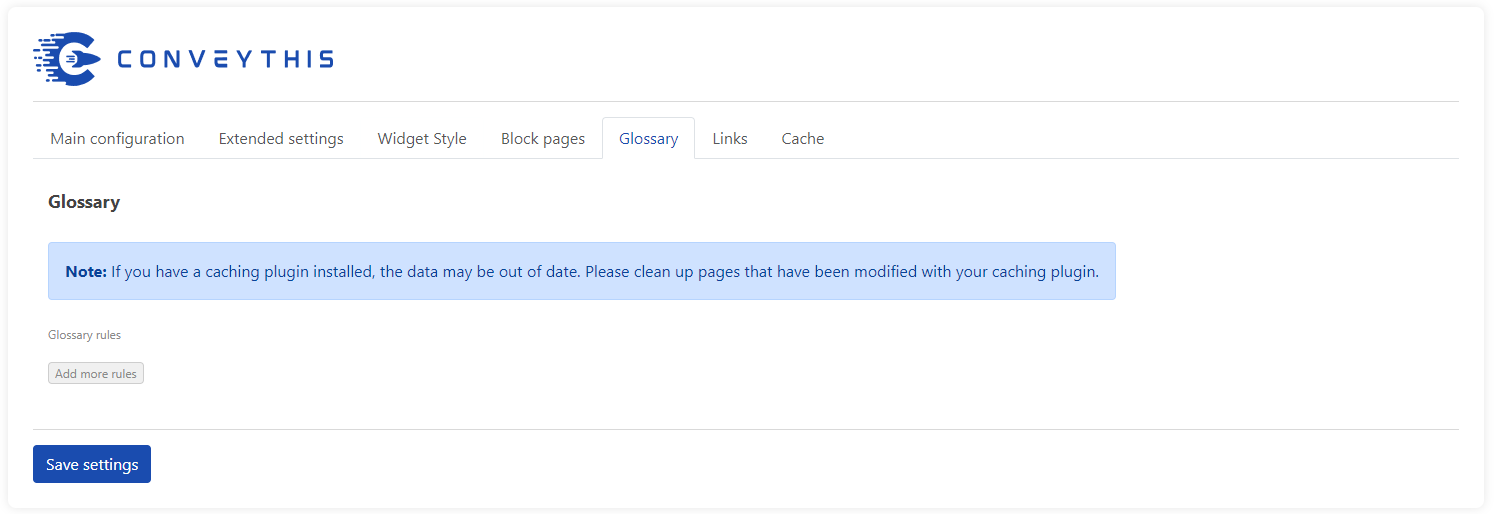
कुछ उपलब्ध स्विचर डिज़ाइन दिखते हैं। 
उपयोगकर्ता पैनल होम स्क्रीन। 
"मेरा अनुवाद" मुख्य स्क्रीन। 
वर्तमान में अनुवादित URL की सूची एक विशिष्ट डोमेन से संबंधित है। 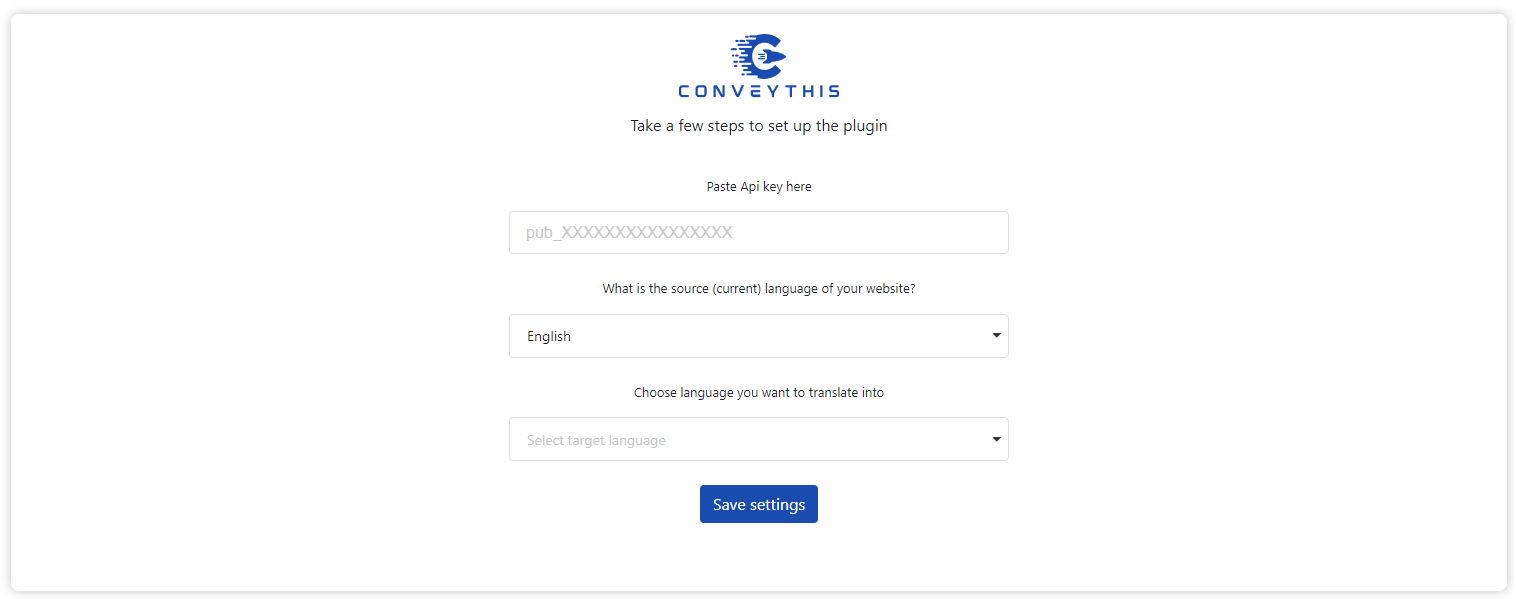
"मेरा अनुवाद पृष्ठ", जहाँ आप अपने अनुवाद संपादित कर सकते हैं, हालाँकि आप फिट दिखते हैं। 
अनुकूलित भाषा-ध्वज जोड़ी वाली साइट का उदाहरण (उदाहरण के लिए अंग्रेजी भाषा में अमेरिकी ध्वज)
इंस्टॉलेशन
- यहां प्लगइन डाउनलोड करें और इसे अपनी साइट पर अपलोड करें या अपने WP व्यवस्थापक से इंस्टॉल करें
- Sign up at https://app.conveythis.com/account/register/ to set up your account
- After confirming your account go to the “Dashboard” in your account
- अपनी अनूठी API कुंजी की प्रतिलिपि बनाएँ (यह “pub_xxxxxxxxxx” के समान दिखता है)
- अपने WP व्यवस्थापक पर प्लगइन के कॉन्फ़िगरेशन पृष्ठ पर जाएं
- इस API कुंजी को उपयुक्त अनुभाग में पेस्ट करें
- स्रोत भाषा और लक्ष्य भाषा चुनें
- इच्छित भाषा स्विचर अनुकूलित करें (आपके पास सुविधाजनक “पूर्वावलोकन” मोड है)
- बदलाव सहेजें
- The language button now appeared on your website.
- आप दूसरी भाषा पर स्विच कर सकते हैं और अनुवादित पृष्ठ देख सकते हैं
- If you want to edit your translation go “My Translation” in your account
227
- Сode optimized
226
- Optimized work with sitemap generation
225
- The process of replacing links has been upgraded.
224
- The latest version of WordPress has been tested
223
- SEO support optimized
222
- Updated SEO support
221
- The work of alternative links has been updated
220
- Cache work optimized
219
- Interface optimized
218
- Updated link & images handlers
217
- Updated synchronization with dashboard
216
- Library optimization
215
- Fixed bugs, update “Change Flag” functionality
214
- Added new check for meta tags
213
- Updated code for the new version of WordPress 6.4.3
212
- Changing flag image links
211
- Fixed bag
210
- Fix log function
209
- Fix xml format
208
- Fix utf8
207
- Fix utf8 text
206
- Fix bloked params
205
- Correction of registration for new clients
204
- Fix SEO functions
203
- Fix condition for meta tag
202
- Fix admin bar
201
- Fix file
200
- Bug fixes, application optimization
199
- New widget style: popup
198
- Fixes
197
- Do not buffer when there is no translation
196
- Do not let buffer get removed
195
- Fix add links in block list
194
- Fix error links
193
- Script operation optimized
192
- Fix settings
191
- Added a new option to change website region
190
- Script operation optimized
189
- Fix alternative links for main language
188
- Removed duplicate alternative links
187
- Added a new option to disable and enable alternative links for excluded pages
186
- Script operation optimized
185
- Script operation optimized
- Improved visuals
- Improved quality of translations
184
- Added the ability to specify the desired system link for translation. Plugin optimization
183
- Add additional config
182
- Visual edits
181
- Bug fixes, code optimization, improved link handling
180
- Fixing broken links issues
179
- Speed optimization
178
- Fixed problem with app and wp settings synchronization
177
- Permalink Settings are taken into account in url
176
- Finalization of translation for wp interface
175
- Correction and modification of styles
174
- Fixed element display errors
173
- Cache issues fixed
172
- Clear local cache when changing glossary. Autosave changes when deleting settings in the Glossary
171
- Clearing the site cache by page when changing the translation in the admin panel
170
- Added steps when activating the plugin
169
- Easy language selection
168
- Fix no-data style
167
- Add step set target language
166
- Change widget admin style
165
- New icon for admin left menu
164
- Add choice widget style
163
- Add left-to-right direction
162
- Add clear translation cache by user
161
- Ability to reset cache by user
सामान्य प्रश्न
-
ConveyThis के लिए न्यूनतम स्थापना आवश्यकताएं क्या हैं?
-
- वर्डप्रेस 4.0 या उच्चतर
- PHP संस्करण 5.3 या उच्चतर
-
क्या मैं अपनी साइट के अनुवाद संपादित कर सकता हूं?
-
Yes, you can edit the translation in your account on the My Translations tab. All changes will be displayed on your site.
-
क्या खोज इंजन (Google, Yandex, Bing, आदि) अनुवादित पृष्ठों को अनुक्रमित करेगा?
-
बेशक। ConveyThis चयनित भाषा के आधार पर एक अद्वितीय URL-उपसर्ग बनाता है (उदाहरण के लिए: / ru / रूसी या / es / स्पेनिश के लिए), जिसे सभी खोज इंजन द्वारा अनुक्रमित किया जाएगा।
-
क्या ConveyThis Translate मेरी थीम / प्लगइन के साथ संगत है?
-
हाँ! ConveyThis Translate अनिवार्य रूप से सभी सामग्री का “स्नैपशॉट” लेता है, जिसमें मेटा टेक्स्ट और अन्य आइटम सीधे पृष्ठ पर दिखाई नहीं देते हैं, फिर अनुवादों को पुनर्प्राप्त करने या उत्पन्न करने के लिए उस पाठ डेटा का उपयोग करता है। इस विधि के साथ अपनी साइट की सामग्री का अनुवाद करने से, आपको कभी भी चिंता करने की ज़रूरत नहीं है कि क्या आपके विषय को बदलने या एक नया प्लगइन जोड़ने से आपकी साइट के अनुवादित संस्करण पर असर पड़ेगा।
ConveyThis Translate हमेशा आपकी साइट पर सभी सामग्री का अनुवाद करने में सक्षम होगा!
-
मेरे अनुवाद क्यों नहीं दिखाई देते?
-
आपके वेबसाइट पर आपके अनुवाद दिखाई न देने के तीन संभावित कारण हो सकते हैं:
- आपका प्लगइन सेटअप नहीं है। सुनिश्चित करें कि आप अपनी साइट की स्रोत भाषा (वर्तमान में आपका पाठ जिस भाषा में लिखा गया है) का चयन करें और फिर चुनें कि आप किन भाषाओं में अपनी साइट उपलब्ध कराना चाहते हैं। सुनिश्चित करें कि आप क्लिक करें। सेटअप को पूरा करने के लिए बटन सहेजें।
- एक अन्य स्क्रिप्ट JavaScript संघर्ष का कारण बन रही है जो प्लगइन को चलने से रोकती है। ConveyThis Translate जावास्क्रिप्ट पर कार्य करने के लिए निर्भर करता है, और यदि दूसरा प्लगइन कोई त्रुटि या अन्य अपवाद फेंकता है जो जावास्क्रिप्ट को ठीक से चलने से रोकता है, तो यह अनुवाद प्रदर्शित होने के कारण समस्याएँ हो सकती हैं। अपने अन्य प्लगइन्स को अक्षम करने का प्रयास करें एक बार यह देखने के लिए कि क्या वे संघर्ष का कारण बन रहे हैं।
- आपने अपनी योजना की सीमा को पार कर लिया है। यदि आप अपनी सदस्यता योजना के समर्थन से अधिक भाषाओं को जोड़ते हैं, या यदि आप अपनी सदस्यता योजना द्वारा समर्थित शब्दों या अनुवादों की संख्या से अधिक हैं, तो यह अनुवादों को न करने का कारण हो सकता है आपकी साइट पर प्रदर्शित किया जाएगा। व्यवस्थापक के रूप में लॉग इन करने पर कृपया अपने पृष्ठ और प्लगइन की कॉन्फ़िगरेशन स्क्रीन देखें और किसी भी त्रुटि संदेश की तलाश करें। आप https://www.conveythis.com/ पर अपने वर्तमान उपयोग के आंकड़ों और संबंधित डेटा को अपने उपयोगकर्ता खाते में लॉग इन करके भी देख सकते हैं।
-
क्या मैं अपने विषयों के साथ ConveyThis अनुवाद कर सकता हूं?
-
नहीं, आप बिना एक्सप्रेस अनुमति के अपने विषयों के साथ ConveyThis Translate plugin को बंडल नहीं कर सकते।
यदि आप एक वर्डप्रेस थीम डेवलपर हैं और ConveyThis Translate को एक प्लगइन के रूप में प्रदान करना चाहते हैं, या आपके उत्पादों में ConveyThis Translate को एकीकृत करने के लिए अन्य विचार हैं, तो कृपया https पर जाएं : //www.conveythis.com/ और लाइसेंसिंग और अन्य मुद्दों पर चर्चा करने के लिए हमसे संपर्क करें।
-
मेरे पाठ को क्यों दिखाया जा रहा है ??????? (प्रश्न चिह्न वर्ण)
-
यदि आपकी साइट पर पाठ के रूप में प्रदर्शित हो रहा है? (प्रश्न चिह्न) या चौकोर / आयताकार चिह्न, यह आमतौर पर एक एन्कोडिंग समस्या के कारण होता है।
ConveyThis अनुवाद अनुवादों को UTF-8 एन्कोडेड स्ट्रिंग डेटा के रूप में संग्रहीत करता है। यह सुनिश्चित करने के लिए कि आपके पाठ को ठीक से प्रदर्शित किया गया है, आपके पृष्ठों को UTF-8 एन्कोडिंग के साथ भी प्रस्तुत किया जाना चाहिए। आप अधिक जानकारी यहाँ पा सकते हैं: https://codex.wordpress.org/Converting_Database_Character_Sets
यह भी सुनिश्चित करें कि आपकी थीम की टेम्प्लेट फाइलें UTF-8 एन्कोडेड फ़ाइल प्रकारों के रूप में सहेजी गई हैं, और यह कि आपके ब्लॉग का शीर्षलेख UTF-8 के लिए चारसेट मान सेट कर रहा है, जैसे:
<meta charset=”UTF-8″ /> or <meta http-equiv=”Content-Type” content=”text/html; charset=UTF-8″>
-
मैं अपने सर्वर को निर्देशिकाओं में भाषाओं को अलग करने के लिए कैसे सेटअप करूं?
-
अच्छी खबर: यह आपके सर्वर पर कोई अतिरिक्त कॉन्फ़िगरेशन की आवश्यकता है!
निर्देशिका पुनर्लेखन एक अंतर्निहित सुविधा है जो वर्डप्रेस की मुख्य कार्यक्षमता का उपयोग करता है जो आपके अनुवादित सामग्री से आपकी मुख्य सामग्री को अलग करने के लिए आपके URL के सामने भाषा कोड को स्वचालित रूप से प्रस्तुत करता है।
उदाहरण के लिए, https://example.blog/my-first-post/ पर स्थित किसी पृष्ठ के अनुवादित संस्करणों को यहां से एक्सेस किया जा सकता है:
- https://example.blog/es/my-first-post/ (स्पेनिश)
- https://example.blog/de/my-first-post/ (जर्मन)
- https://example.blog/ru/my-first-post/ (रूसी)
- आदि।
सुनिश्चित करें कि इस रीडायरेक्ट विधि के साथ किसी भी समस्या से बचने के लिए भाषा के उपसर्ग के समान नाम के साथ आपके सर्वर पर निर्देशिका सेटअप नहीं है। इसके अतिरिक्त, सुनिश्चित करें कि पोस्ट, पेज और अन्य सामग्री वर्डप्रेस में सेटअप नहीं है और साथ ही रूटिंग के लिए दो-अक्षर भाषा कोड का उपयोग करें। अपने विषय के साथ इसकी पुष्टि करें, आपके द्वारा चलाए जा रहे किसी भी अन्य प्लगइन्स, और आपके ब्लॉग की पर्मलिंक सेटिंग्स।
-
क्या ConveyThis मेरी साइट को धीमा कर देगा?
-
ConveyThis अनुवाद आपकी वेबसाइट को धीमा नहीं करेगा क्योंकि इसे कभी भी आपकी साइट की सामग्री का अनुवाद करने के लिए आपकी साइट के डेटाबेस तक पहुंचने की आवश्यकता नहीं है!
चूँकि अनुवाद कन्वेयस सर्वर पर संग्रहीत किए जाते हैं – अपने स्वयं के बजाय – आपको अपने प्रश्नों के अनुकूलन के बारे में चिंता करने की आवश्यकता नहीं होगी, पुराने अनुवाद संशोधनों या अन्य डेटाबेस मुद्दों को हटा दें। यह सिर्फ काम करता है!
-
मैं कॉन्फ़िगरेशन पर क्यों नहीं सहेज सकता?
-
यदि आप API कुंजी सेट नहीं कर सकते हैं या कॉन्फ़िगरेशन पृष्ठ पर भाषाओं का चयन नहीं कर सकते हैं, या आपकी वेबसाइट के किसी पृष्ठ का अनुवाद करने का प्रयास विफल रहता है, तो आप प्लगइन का पुराना संस्करण चला रहे होंगे। कृपया नवीनतम संस्करण में ConveyThis अद्यतन करें।
-
मैं अनुवादित पृष्ठों को कैसे खोजूं, संपादित करूं और सहेजूं?
-
अपने ConveyThis खाते में प्रवेश करें और “मेरा अनुवाद” टैब पर जाएं।
अपने अनुवादों को संपादित करने के लिए, पहले उस डोमेन नाम को चुनें जिसे आप संपादित करना चाहते हैं और काम करने के लिए एक विशिष्ट पृष्ठ पते का चयन करें।
यहां आप विज़ुअल एडिटर का उपयोग कर सकते हैं या अनुवाद पंक्ति को पंक्ति से संपादित कर सकते हैं।
-
क्या ConveyThis को लोकलहोस्ट पर चलाया जा सकता है?
-
प्लगइन के संस्करण 2.7 के रूप में, ConveyThis को अब लोकलहोस्ट से जांचा जा सकता है। प्लगइन के पिछले संस्करण स्थानीय रूप से होस्ट की गई साइटों पर काम नहीं करेंगे।
-
ConveyThis किन भाषाओं का समर्थन करता है?
-
उपलब्ध भाषाओं की संख्या उस योजना पर निर्भर करती है जिसे आपने सदस्यता दी है।
सबसे उन्नत “प्रो प्लान” के साथ आपके पास अपने निपटान में 92 भाषाएँ हैं।
तो संचालित करने के लिए संभावित भाषाओं की वर्तमान मात्रा 92 है।
जबकि इस सूची में दुनिया की सभी सबसे अधिक बोली जाने वाली भाषाएँ शामिल हैं, कई दुर्लभ बोलियाँ अभी तक शामिल नहीं हैं।
-
क्या ConveyThis Translate मुफ्त है?
-
ConveyThis Translate provides Free plan with 2,500 words and 1 language.
भुगतान किए गए प्लान के उपयोगकर्ता अपने पैसे वापस पा सकते हैं प्लगइन के उपयोग के महीने के भीतर आप परिणाम से संतुष्ट नहीं हैं।
-
क्या मैं WPML, Polylang या Weglot अनुवाद से माइग्रेट कर सकता हूँ?
-
आप किसी भी ट्रांसलेशन प्लगइन से आसानी से माइग्रेट कर सकते हैं। बस अपने WP- व्यवस्थापक पैनल से वर्तमान प्लगइन को निष्क्रिय करें। ConveyThis Translate आपकी वेबसाइट पर ठीक से काम करना शुरू कर सकता है।
-
मैं भाषा स्विचर को कैसे सेट / मूव कर सकता हूं?
-
यदि आप अपना भाषा स्विचर अनुकूलित करना चाहते हैं, तो पहले wp-admin में प्लगइन के लिए सेटिंग पेज को एक्सेस करें और “अधिक विकल्प दिखाएं” पर क्लिक करें।
आप चुन सकते हैं कि आप कैसे भाषा स्विचर प्रदर्शित करना चाहते हैं: वर्ग या गोल झंडा; इसमें पाठ के साथ या उसके बिना।
आप स्विचर बटन को दाईं ओर के शीर्ष पर या पृष्ठ के दाईं ओर नीचे स्थित कर पाएंगे। आप इसे पृष्ठ के केंद्र में भी स्थानांतरित कर सकते हैं या “इंडेंटिंग” लेबल वाले अनुभाग में टॉगल का उपयोग करके इच्छित स्थान सेट कर सकते हैं।
-
मैं कैसे “CURL त्रुटि 7: api.conveythis.com पोर्ट 443 से कनेक्ट करने में विफल रहा है: कनेक्शन को अस्वीकार कर दिया”?
-
कभी-कभी आपको निम्न त्रुटि का अनुभव हो सकता है:
[http_request_failed] cURL त्रुटि 7: api.conveythis.com पोर्ट 443 से कनेक्ट करने में विफल: कनेक्शन ने इनकार कर दिया
इसका आमतौर पर मतलब है कि सर्वर api.conveythis.com से कनेक्ट नहीं हो सकता है। संभावित कारणों में एक फ़ायरवॉल या आपका आईपी ConveyThis द्वारा अवरुद्ध किया जा सकता है।
पोर्ट 443 “https” है, जिसे आपका सर्वर स्वीकार नहीं कर सकता है। आप इसके बजाय “http” से कनेक्ट करने का प्रयास कर सकते हैं। आप प्रॉक्सी सर्वर का उपयोग करने का भी प्रयास कर सकते हैं।
यदि आपने उपरोक्त सभी को आज़मा लिया है और फिर भी यह त्रुटि मिलती है, तो हमसे संपर्क करें support@conveythis.com.
-
अगर मुझे अभी भी मदद की ज़रूरत है, तो मुझे क्या करना चाहिए?
-
यदि आप अपने प्रश्न का उत्तर खोजने में सक्षम नहीं थे, तो आप किसी भी प्रश्न का उत्तर तुरंत प्राप्त करने के लिए हमारी वेबसाइट पर ऑनलाइन समर्थन फ़ॉर्म का उपयोग कर सकते हैं। व्यवसाय के घंटे सोमवार से शुक्रवार तक सुबह 9:00 बजे से शाम 6:00 बजे तक, पूर्वी मानक समय हैं।
आप हमें इस ईमेल पते पर सीधे ईमेल भी कर सकते हैं: support@conveythis.com.
यदि आप सप्ताह के दौरान हमसे संपर्क करते हैं, तो हम गारंटी दे सकते हैं कि आपको अगले 12 घंटों के भीतर उत्तर मिल जाएगा यदि इसे शुक्रवार की मध्यरात्रि से पहले भेजा जाता है।
समीक्षाएं


सहायक &डेवलपर्स
यह खुला स्रोत सॉफ्टवेयर है। अनुगामी लोगो ने इस प्लगइन के लिए योगदान दिया है।
योगदानकर्ता

“Language Translate Widget for WordPress – ConveyThis” has been translated into 37 locales. Thank you to the translators for their contributions.
Translate “Language Translate Widget for WordPress – ConveyThis” into your language.
Interested in development?
Browse the code, check out the SVN repository, or subscribe to the development log by RSS.
बदलाव विवरण
160
- Ability to reset cache by user
160
- Update fast registration
159
- Fast registration feature
158
- Connection to proxy
157
- Changed preview position, added validation to required fields
156
- Changed color and buttons position
155
- Updated js version
154
- Preview fix
153
- Make widget invisible on click when its exceeded free
152
- Redirect to original url when its error returned
151
- UX/UI Improvements
150
- Security update
149
- Admin part redesign
148
- Reset default language if its not in target languages
147
- Add searching segment by lower case
146
- Remove cache when translations data is empty
145
- Do not show plugin on excluded pages
144
- Update cache without jquery
143
- Do not save translations when error
142
- Exclusion blocks (by div ids)
141
- translate only current page content + no translate element id feature
140
- error notices cause fixed
139
- exclusions update fix
138
- exclusions and glossary management js fix
137
- exclusions and glossary management, fixed domains syncronization with dashboard
136
- do not show 404 when page is excluded or translations not paid
135
- page 404 when no translations and translations cache
134
- Fix saving urls translations cache
133
- Fix php notices
132
- Change get code endpoint subdomain from “app” to “api”
131
- do not show widget on page 404
130
- replace site_url() to home_url()
129
- plugin ignore WP API urls (including “/wp-json/”)
128
- use default language only when there is no referrer or referrer host is different
127
- Settings page changes
126
- default language redirect option
125
- language url segment translation option
124
- links translation option
123
- pro_new and pro_new_plus
122
- Left alignment by default
121
- WordPress 5.8.1 support
- Bug fixes